

How Open-World Maps Work: Streaming, Chunks and LODs
How a huge 3D map runs smoothly: it is cut into chunks that load around the player, and far objects use simpler models (LODs).
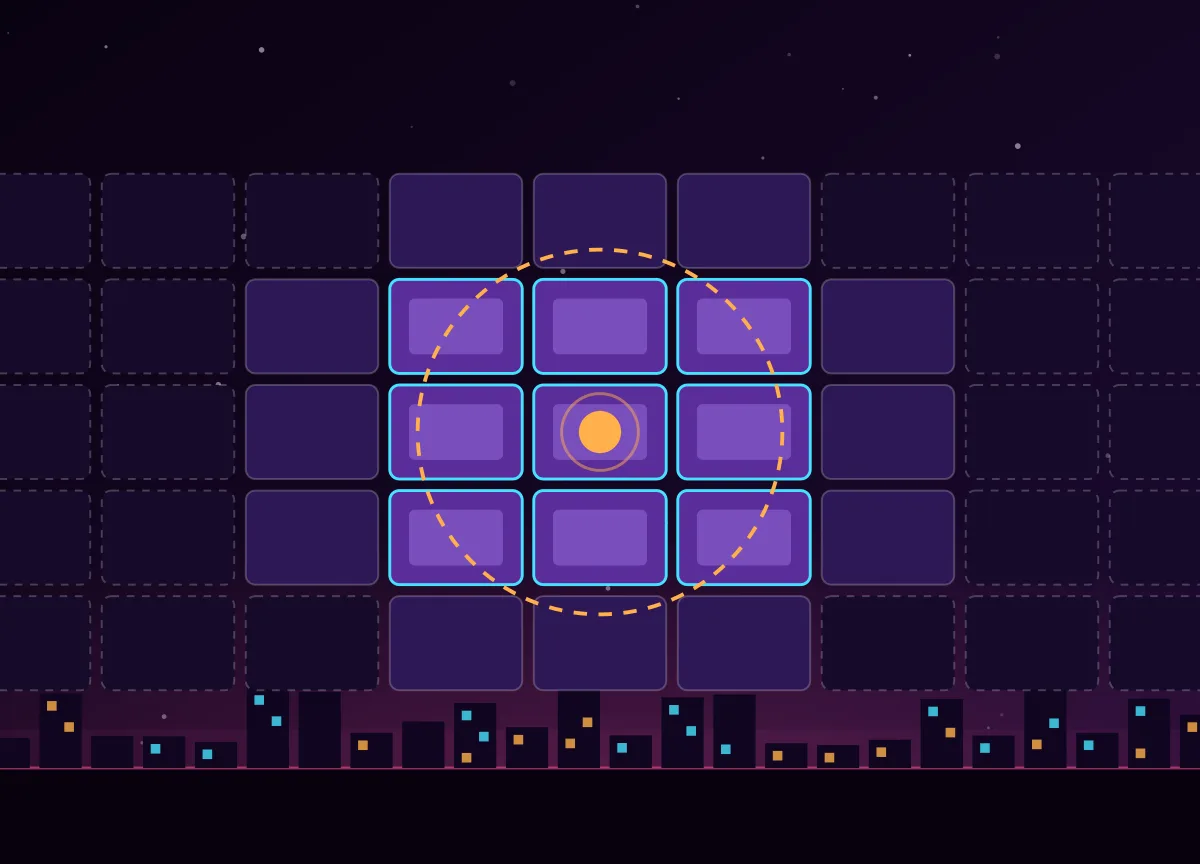
A big open world cannot sit in memory all at once. The map is cut into pieces, often called chunks, cells or tiles, and the game loads the pieces near the player and unloads the ones far away. This is called world streaming. Combined with level of detail (LOD), it lets a city of many square kilometres run on an ordinary computer or phone.
Why a world must be streamed
Every building, road, tree and texture needs memory, and every object that is loaded costs processing time. A computer has a fixed amount of both. If the whole map were loaded at once the game would not start, or it would run slowly. Streaming keeps the cost almost constant: no matter how big the map is, only the area around the player is active.
How chunks work
- The map is divided into a grid of equal cells, for example 100 by 100 metres
- A streaming manager checks which cells are close to the player or the camera
- Cells that come within a set distance start loading in the background
- Cells that fall outside a larger distance are unloaded to free memory
- A small gap between the loading and the unloading distance stops cells from flickering in and out
Loading has to happen without freezing the game. Engines load data in the background on separate threads and add the finished objects to the scene a few at a time. Unity offers additive scene loading and Addressables for this, and Unreal Engine has a feature called World Partition that divides a large level into cells automatically.
Level of detail (LOD)
Even loaded objects do not need full detail. A building 500 metres away covers only a few pixels, so drawing its thousands of triangles is a waste. Artists make several versions of each model: a detailed one for close up and simpler ones for distance. The engine picks the version by distance or by how large the object appears on screen.
- LOD0: the full model, used close to the camera
- LOD1 and LOD2: fewer triangles and smaller textures
- The last level: a flat image (a billboard or impostor), or the object is not drawn at all
- Groups of far buildings can be merged into one simple model to save more time
Problems to plan for
- Hitches: loading too much at once makes the game stutter, so loading is spread over many frames
- Pop-in: objects that appear suddenly can be hidden with fog, fading or a slightly larger loading distance
- Texture memory: textures are streamed too, with small versions loaded first and sharper ones later
- Precision: far from the centre of the world, 32-bit numbers lose accuracy and objects shake. Many games move the world back to the origin (a floating origin) to avoid this
Streaming also decides what the rest of the game can see. Traffic and pedestrians need roads to exist, and online players need to agree on what is loaded. The next steps are drawing the loaded world quickly (how big 3D cities render fast) and, if you want, building parts of it with code (procedural generation). The full overview is in how online open-world games are made.
Frequently asked questions
What is world streaming in games?
World streaming means the game loads the parts of the map near the player and unloads the parts far away, instead of keeping the whole world in memory. It lets a very large map run on normal hardware.
What is LOD in 3D games?
LOD means level of detail. The game uses a detailed model for objects close to the camera and simpler models for objects far away, which saves processing time without a visible difference.
Why do some games show objects suddenly appearing?
That is called pop-in. It happens when an object finishes loading or switches to a higher LOD late. Developers reduce it with fading, fog and a larger loading distance.